| Date | Document | Debit | Credit | Balance |
|---|---|---|---|---|
| 02 Jan | IN-10428 | 48,250.00 | 48,250.00 | |
| 09 Jan | PM-00117 | 20,000.00 | 28,250.00 | |
| 17 Jan | IN-10633 | 36,900.00 | 65,150.00 | |
| 26 Jan | CR-00042 | 4,150.00 | 61,000.00 | |
| 31 Jan | PM-00131 | 35,000.00 | 26,000.00 |
You draw the report, Ravion writes the SQL.
A reporting platform that connects to your relational database with a read-only account. It reads the schema itself, lets you design the dataset on a canvas and embeds the report in your own application.
Account statementRunning reports
One schema. One definition. Reports without end.
The platform that turns your database schema into a reporting engine.
Ravion reads tables, relations and data types once. The designer, the runner, embedding and sharing all speak through that single schema, so no report rests on hand-written SQL.
Connect with a read-only account; tables, columns, data types and foreign keys come out of metadata. A connection is not saved until it has been tested.
See the schema explorerPick a root table and its foreign-key neighbours are offered as candidates. Every relation you draw becomes a single SELECT, validated against your schema before it is saved.
See the designerEvery filter value is bound as a parameter. A timeout and a row ceiling apply to each query, so a badly set filter cannot tie up the target database.
See reports runningThe generated embed code runs inside your ERP, CRM or intranet portal. Locked filters are applied on the server; a viewer can neither see nor change them.
See embedding and sharing
Schema reader
The SALES_DB connection is verified. 186 tables and 1,204 foreign keys were read; root table candidates are ready.
Query builder
Two neighbouring tables are linked. The 1:N relation is aggregated, so one row comes back per root record; the query is validated against the schema.
One definition. Three outputs.
The designer, the runner and distribution all work on the same dataset definition. Change the definition and all three change with it.
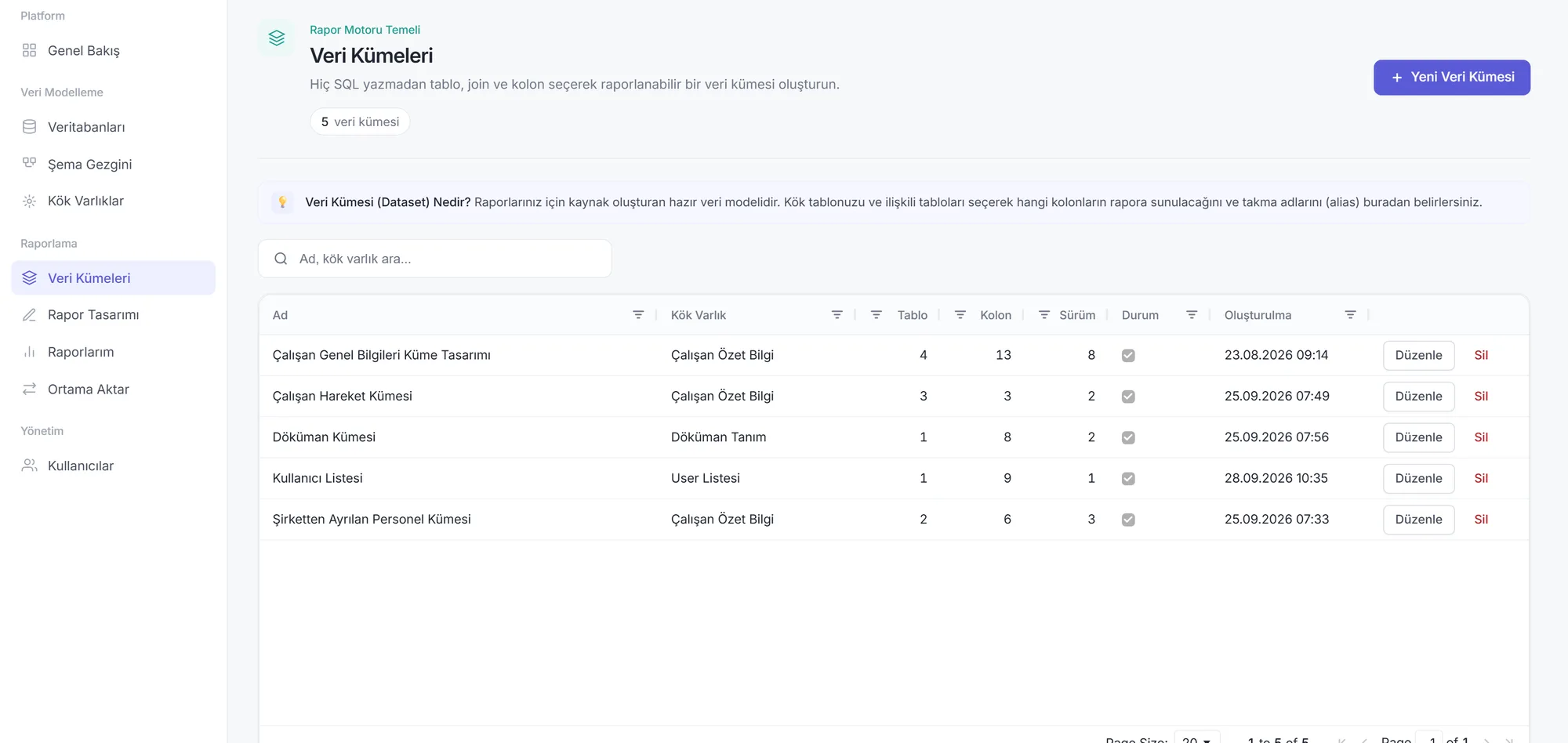
Designer
The report comes before the SQL.
Pick a root table, link its neighbours, choose columns and aliases. By the time the definition is saved, the query is ready.
- Relation candidates from foreign keys
- No save until 1:N behaviour is chosen
- Canvas and tree view, one definition
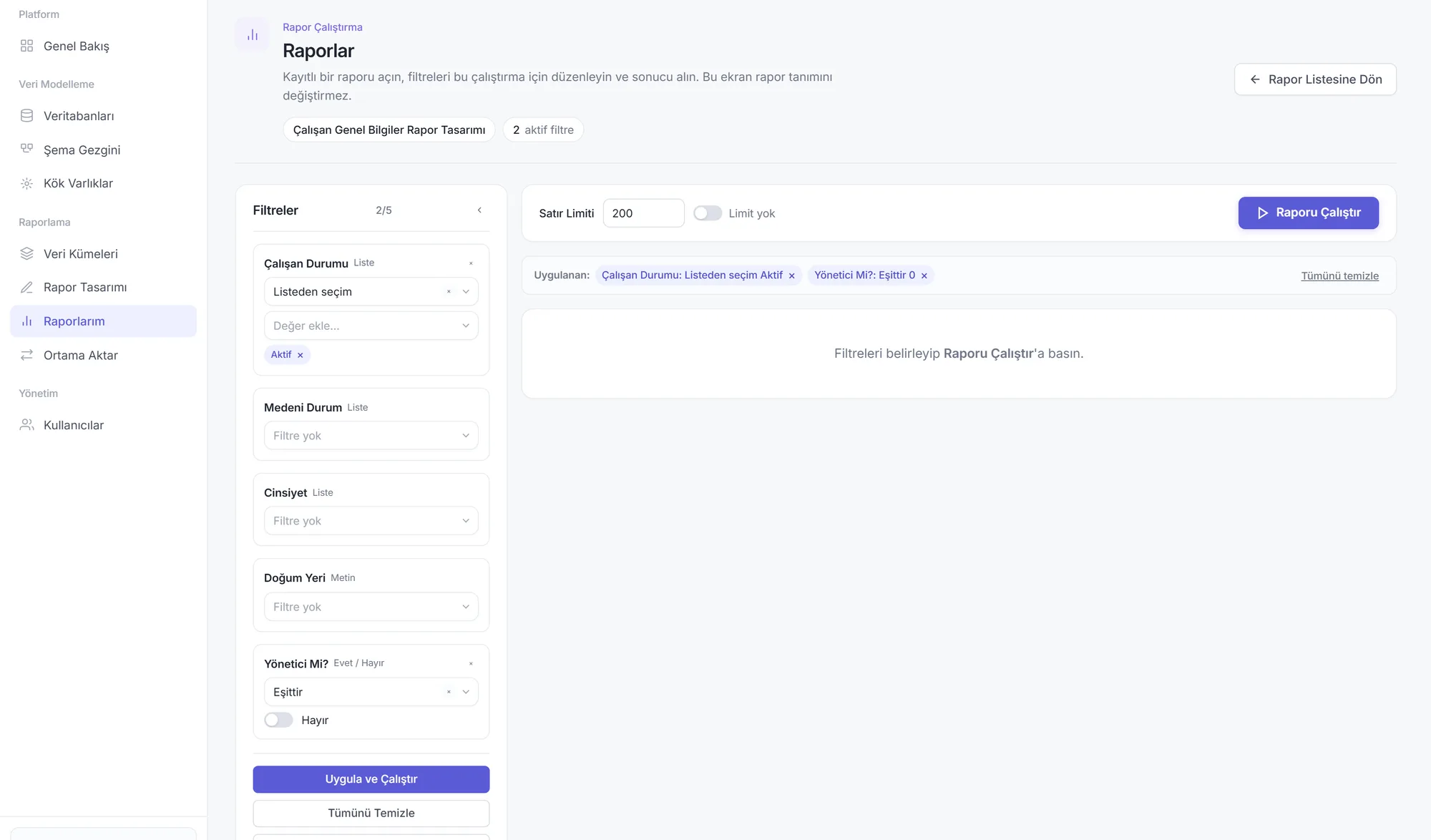
Runner
Filter, look, export.
Open a saved report, adjust the filters for this run and inspect the result. This screen never changes the report definition.
- Filter values bound as parameters
- Row limit and timeout on every query
- Excel export with the same filters
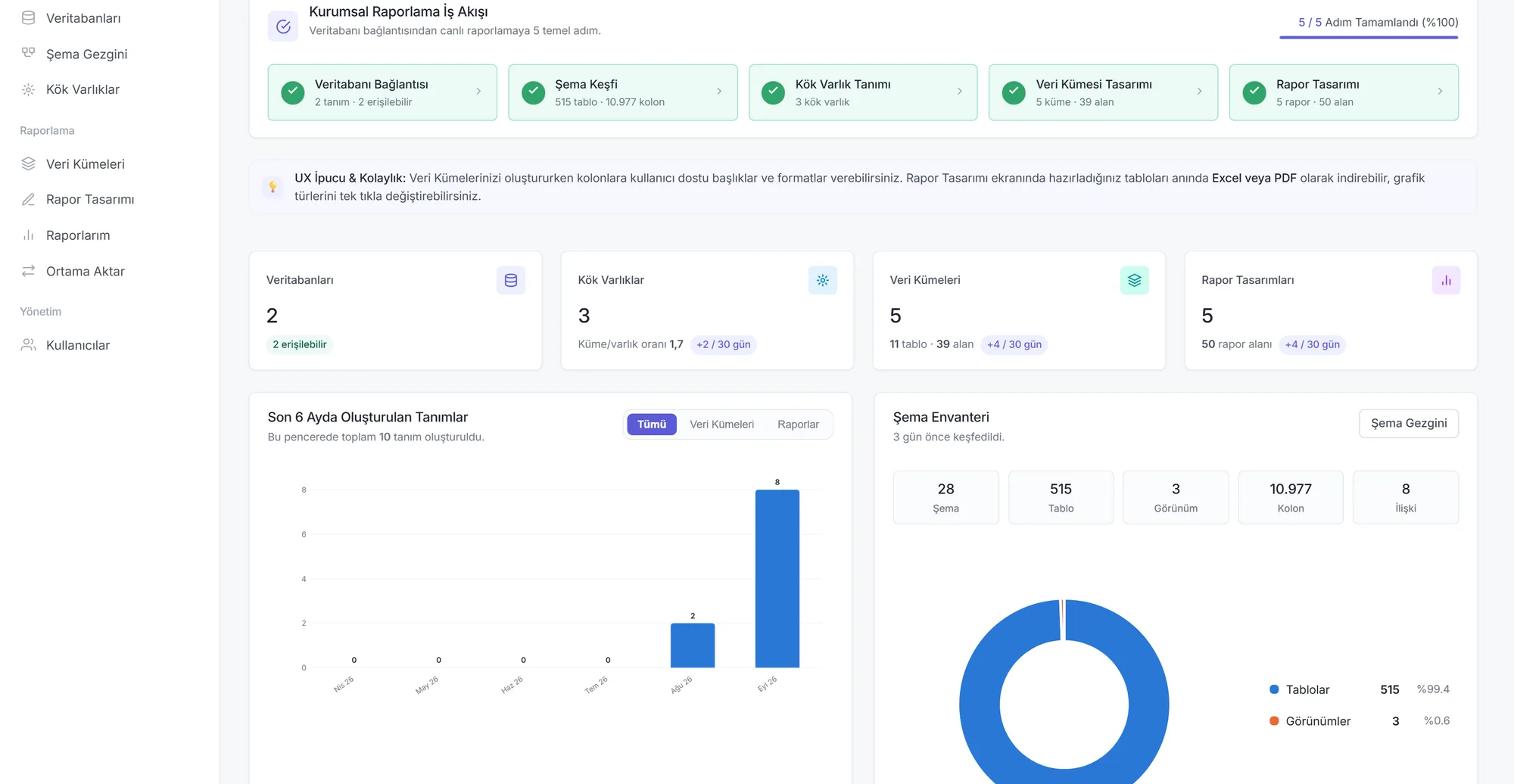
Distribution
Send the report to where people work.
Share a report with a person, a team or a time-limited key, and embed it in your ERP or portal. The boundaries are kept on the server.
- Embed with an iframe, read with REST
- Locked, read-only or hidden filters
- Revoke the key and access stops at once
Works with what you already run.
- SQL Server
- PostgreSQL
- MySQL
- MariaDB
- Oracle
- Azure SQL
- Amazon RDS
- SQL Server Express
- Excel
- CSV
- JSON
- REST
- iframe
- Webhook
- OpenAPI
- SQL Server
- PostgreSQL
- MySQL
- MariaDB
- Oracle
- Azure SQL
- Amazon RDS
- SQL Server Express
- Excel
- CSV
- JSON
- REST
- iframe
- Webhook
- OpenAPI
- JWT
- OpenID Connect
- LDAP
- Active Directory
- SMTP
- ASP.NET Core
- Angular
- Docker
- IIS
- nginx
- Windows Server
- Linux
- ERP
- CRM
- Intranet portal
- Dealer portal
- JWT
- OpenID Connect
- LDAP
- Active Directory
- SMTP
- ASP.NET Core
- Angular
- Docker
- IIS
- nginx
- Windows Server
- Linux
- ERP
- CRM
- Intranet portal
- Dealer portal
Security you can check.
Read the architecture and the rules- Target database
- SELECT only
- Encryption
- AES-256-GCM
- Access
- JWT + role based
- Deployment
- Fully on-premise
Only SELECT reaches the target database
Every generated query is a single SELECT statement. No create, update or delete statement is ever produced.
User text never enters the SQL
Table and column names are chosen only from the real names in the schema that was read. Filter values are bound as parameters, without exception.
Identifiers are escaped
Schema, table and column names are quoted, so unusual naming cannot break the query.
Connection passwords stay encrypted
Passwords are stored with AES-256-GCM. They are never returned in an API response and never written to a log.
A timeout and a row ceiling on every query
A badly set filter cannot keep the target database busy indefinitely.
Access is checked on every request
The active database comes from the client but is not trusted; it is verified again on each request.
Error messages leak no structure
The user gets a general message; the query text and stack trace go only to the server log.
Fully on-premise
The system runs on your own servers; data never leaves the organisation or goes to a cloud.
Frequently Asked Questions
A reporting platform that builds visual datasets from your relational database schema, writes the SQL for you and makes finished reports embeddable in your own applications.
No. The target database is connected with a read-only account and every generated query is a single SELECT. No write, schema change or stored procedure call is produced.
You do not. You pick a root table and link its neighbours on a canvas; the query takes shape as you draw and is validated against your schema before it is saved.
Yes. The generated embed code is an iframe and runs inside your ERP, CRM or intranet portal. If you prefer JSON, the same report is available over REST endpoints.
It does not. The deployment is fully on-premise: the system runs on your servers and no row is sent to a cloud or outside the organisation.
SQL Server is the primary target; schema reading and query generation follow the same path for PostgreSQL, MySQL, MariaDB and Oracle. A connection is not saved until it has been tested.
It depends on the number of users and the deployment. Book a walkthrough and we will send a quote for your case.
See it on your own schema.
Instead of a canned demo, we connect to a test database you choose and build your first dataset and report together in 20 minutes.
Book a walkthroughReady to run
Account Statement
128 rows · Anadolu Metal Inc.
48291
Run and shareLet us set up a session
Fill in the form, or write to us directly: